
This week’s Sunday Funday challenge involves reviewing Microsoft 365 UALs so I figured what better excuse to get access to a dev tenancy. Originally I looked at how to request one of these from Microsoft, and then that fell into the “just hard enough basket” so I asked a friend who generously donated access to his 😀 Thanks Zach!
This week’s challenge asks the following question:
What log entries are left behind when the following scenarios occur:
- A user searches their own mailbox
- A user searches their own onedrive
- An administrator searches their own mailbox
- An administrator searches their own one drive
- An administrator searches someone else’s mailbox
- An administrator searches someone else’s onedrive
The first step was to get a couple accounts setup and (after making sure I assigned licenses, which I definitely didnt forget for the first little bit) generate some data. This was fairly simple; login to an account and do some really specific searches and then wait until the results filtered into the UAL.
First things first, make sure the UAL is enabled. I only did this after I did the data generation. So I guess we’re doing all of this data generation again!
1. A user searches their own mailbox
Hypothesis: There should be a search query recorded but it won’t tell me what it is
Data generation: For this test I sent an email containing the term “TESTKITCHENSEARCHEMAIL”. The mailbox only had one email anyways but may as well make the term unique. This returned my item, and I didnt access it. I ran the search around 7:05AM AEDT.

Result: There was nothing in the logs to indicate a search.
Other point of interest: I had to redo all this testing because the UAL wasn’t enabled, and proved to be annoying to turn on. When I went into the user account to do the search it had all the previous searches so they are stored somewhere in Outlook.com.
2. A user searches their own OneDrive
Hypothesis: There should be a search query recorded but it won’t tell me what it is
Data generation: For this I uploaded a couple of files and then ran a search in the address bar for the term that I put in “test.txt”. I ran the search around 7:07AM AEDT. I accessed OneDrive.com (which redirects to SharePoint) for this rather than going through the Outlook portal.
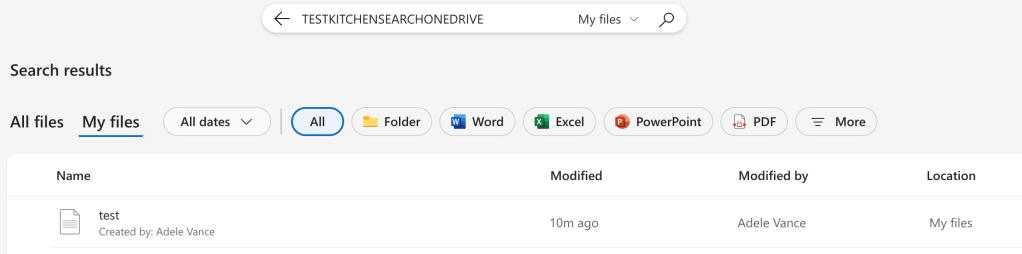
Results: Nothing in the logs to indicate a search
3. An administrator searches their own mailbox
Hypothesis: I expect this to say a search was run, doesn’t say what it was.
Data generation: As per the previous, but I ran the search logged in as my GA account around 7:09AM AEDT.

Results: Nothing returned
4. An administrator searches their own OneDrive
Hypothesis: I expect this to say a search was run, doesn’t say what it was.
Data generation: As per the previous, but I ran the search logged in as my GA account around 7:15AM. Weirdly I ran the search for the exact string and the file wasn’t found. I reran a search for “TESTKITCHEN” and it couldnt find it either. Strange!
There was this interesting link though since it couldn’t find it but clicking on that didnt find anything. It seems that it searched across Sharepoint and the hits in this tenancy would only be in OneDrive.

Results: Nothing returned
5. An administrator searches someone else’s mailbox
Hypothesis: I expect the content search will get logged, but not the search through delegated access.
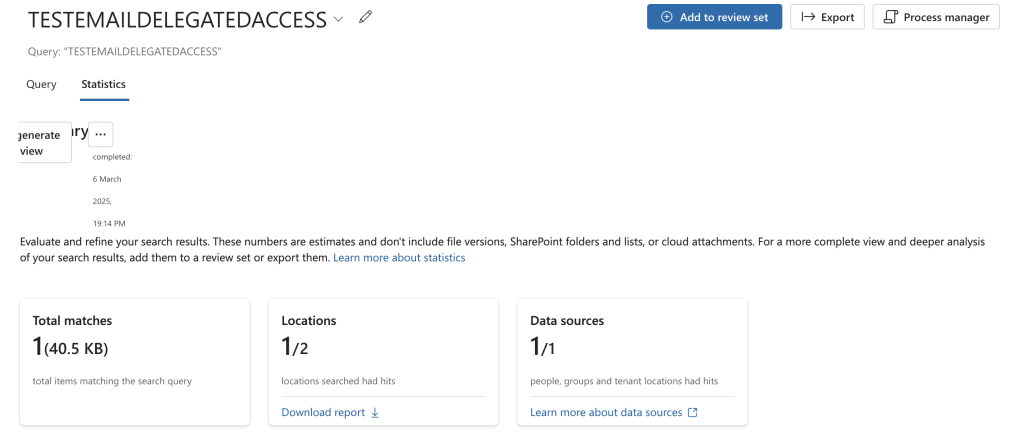
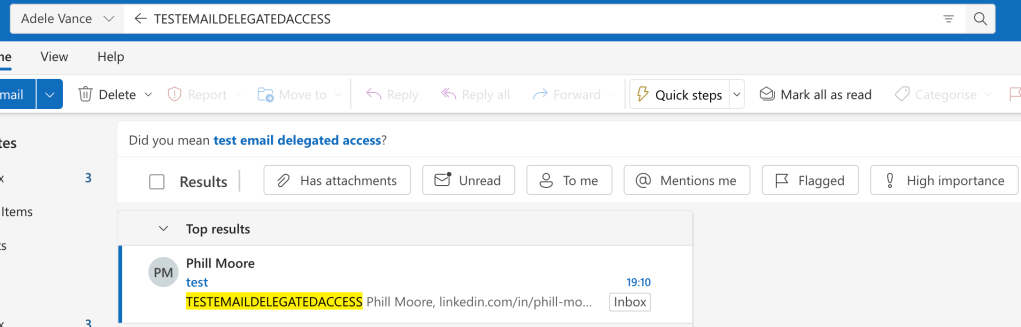
Data generation: I ran a content search through the eDiscovery portal in Purview (around 7:22AM, the screenshot was from the first time I did this the day before so the search name is now different), and then also added delegated access to the users account we can look in Outlook Web Access. I also made sure to send an email with specific wording to search for “TESTEMAILDELEGATEDACCESS”.
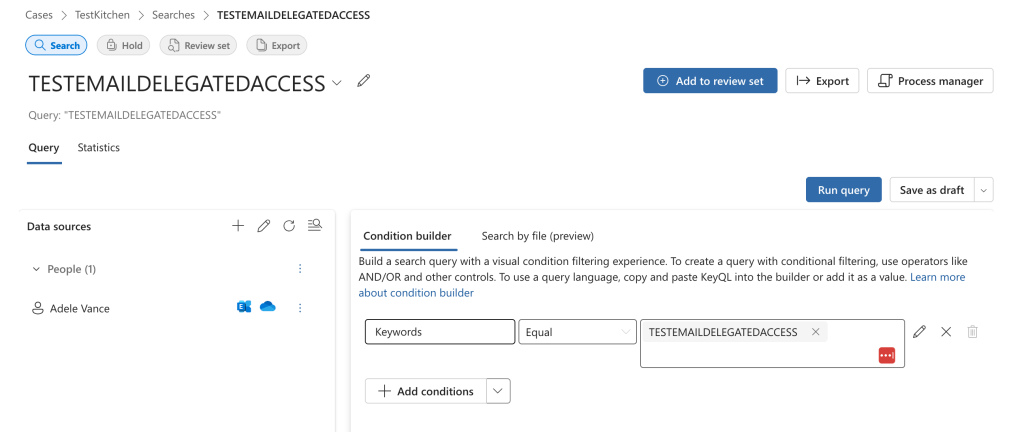
This returned one result as expected.
Adding mailbox delegation is done through: https://admin.cloud.microsoft/exchange. I added my administrator account to my user account to have full access.

I then added the mailbox to OWA as a shared folder.

I ran the search twice because it didnt find it the first time (All Folders); when i clicked into the Inbox then ran the search it listed it as the search location. So there could be a couple of searches around 7:23AM.
Results: The eDiscovery actions were quite well logged with activities like “Viewed eDiscovery case”, “Viewed Purview search”, “Retrieved all actions for search”, “Started content search” and more.
“Started content search” shows us the search text but we’d have to do a bit more work to figure out what resources they searched in.
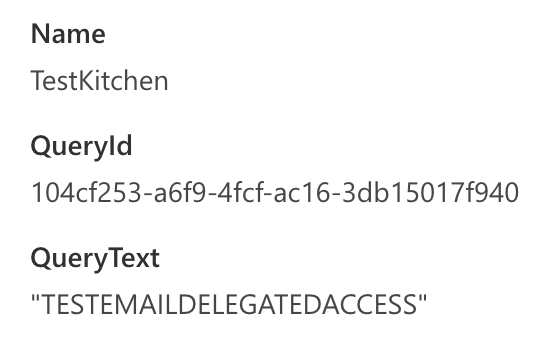
Searching in OWA didnt get logged at all. I accessed some email in the other mailbox and that was logged; the evidence showed that the MailboxOwnerUPN was my victim mailbox.
6. An administrator searches someone else’s OneDrive
Hypothesis: I expect the delegated access search to get logged.
Data generation: I didnt bother running a content search through the eDiscovery portal in Purview again because it should be logged the same way as the email search. , and then also added delegated access through the Admin portal.
I was able to get access by clicking this link in the Admin portal:

The link generated gave me direct access to the users OneDrive
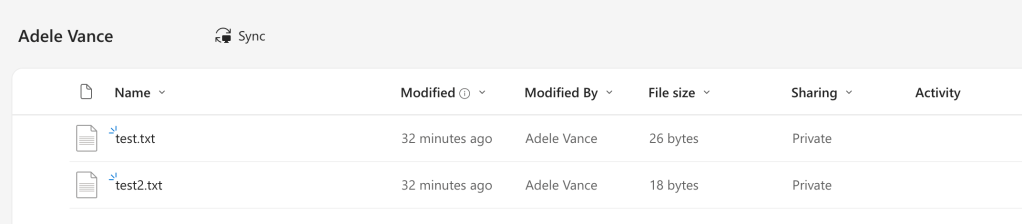
And I ran my search from the Search box

Which for some reason didnt return a result despite definitely being in the contents of “test2.txt”. Weird.
Results: Nothing returned again! I could see the operations that I had viewed the other users OneDrive (although it showed up as a SharePoint link) as either “ListViewed” or “Viewed Page”. The application display name clearly stated “OneDrive Web App (modern)” though.
Addendum:
Something else that was interesting; if you go into the users settings (per account – I cant see a way to do this elsewhere or against a delegated mailbox), you can export the user searches
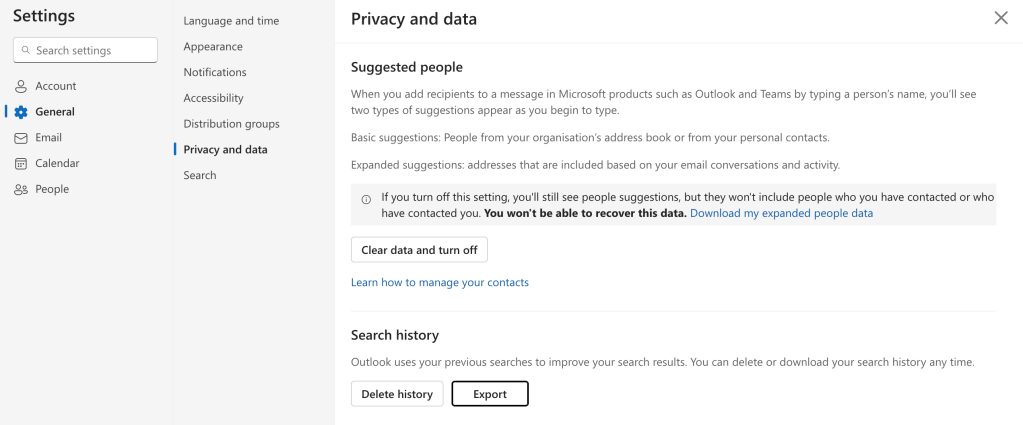
This gives you a file that had my searches:

Addendum2:
For some reason logging that a search occurred is an event you have to specifically enable. You can see how to here.
Why is it not just enabled…
Overall this test was very interesting; mostly because nothing showed up. I very much expected to get a “Performed search query” activity but that didn’t see to happen. I have seen searches in casework but mostly they dont include the text (or they just have a star).
The only thing that really was observed in the logs with regards to searching was the eDiscovery case which makes sense to have been logged.

I want to play more with Entra, and I still dont understand why we can’t use KQL to query the UAL directly. You can kind of use the CloudEvents table, but in practice this isn’t a complete record.
 ThinkDFIR
[…] ThinkDFIRSunday Funday – Searching for searching […]
LikeLike
[…] Sunday Funday – Searching for searching […]
LikeLike