
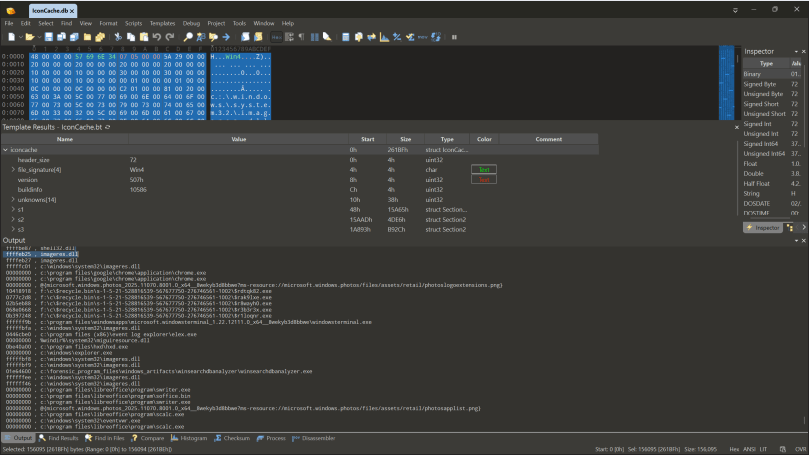
Earlier this year I came across a forensic artefact that I didn’t know a whole lot about, and there wasn’t a lot of research on either. I was working on a ransomware case where we picked up a standard KAPE triage collection. As part of that, I ran a keyword search in Xways over the entire package for the names of our malicious executables and some hits caught my eye. Inside the users localappdata was a file called IconCache.db that I had seen in passing but never really looked at before. I had just bought a copy of 010 Editor so down the rabbit hole we go!
Special thanks to my former coworkers Cassie and Yogesh for their assistance in picking this apart.
What is IconCache
The IconCache contains the images associated with an items icon so that Windows can recall it without rebuilding it. Think of it like ThumbCache but for Icons, in fact some of the databases are even in the same spot.
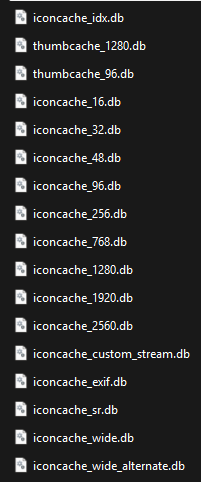
IconCache is made up of a few different files:
%localappdata%/IconCache.db
%localappdata%/Microsoft/Windows/Explorer/iconcache_*.db
Parsing the data
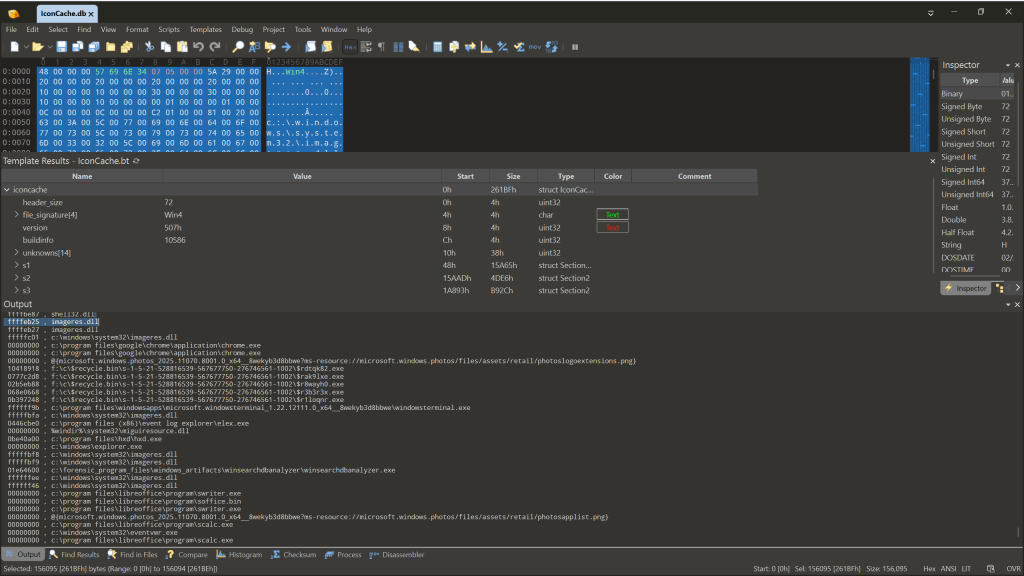
If you have 010 editor and want to parse the data from your IconCache.db file then you can grab the template from here. We were able to take the format documentation from this research paper (who did most of the heavy lifting) and identify how the format has changed since their release.
In the current database format (where the version string is 0x0507) you get a lowercase version of the paths, and sometimes you get Shell items which is nice. I’ve also put up a couple of IconCache.db files (not the icon files databases) onto the DFIR Artifact Museum that I extracted from two SIFT workstations.
Here’s a Python script that parses the earlier version but I haven’t really tested it. Here’s a CPP program as well but this looks like it will only parse the 0x0506 version of the db.
The actual icons are stored in a different database, and I haven’t really done much looking at the format – that said, there’s an 010 template to parse these files and ThumbCache Viewer works too. The downside of joining these two artifact sets together, which I have not yet been able to do.
Interesting observations
- Windows 11 doesn’t mean you’ll get the format 0x0507. I’m guessing once the database is there it doesn’t really change format so if you upgrade Win10 to Win11 the database won’t get recreated unless you force it. Either way, the 010 template handles both. There’s earlier formats but I haven’t bothered looking at those so the template doesn’t cover this.
- The database seems to get written on shutdown or reboot so data recorded will only cover everything prior to the last startup.
- This isn’t going to be an evidence of execution artefact, just an evidence of existence.
- I haven’t looked into the circumstances where you get a Shell item but we did incorporate Didier Stevens’ code to parse the data so you can explore that in the 010 template data.
- The actual icon images are stored in individual databases based on the size of the icon, or the referenced DLL (read the paper but that part was less interesting for me). There’s no filenames unfortunately. There’s a CRC hash like with the ThumbCache but as we’ve got the paths in the other database maybe it’s possible as long as the underlying code doesn’t take other values.
- I haven’t figured out how to join the paths to the images; But that’s something that I think would be super useful in investigations. Tools like Mimikatz, Netscan and the myriad of RMM tools used in ransomware investigations usually have specific icons so even if the program has been renamed it’s another clue.
- When I increased the size of the icons to the maximum size the template dies, so it doesn’t support that yet (ever? who knows).
This is an interesting artefact that I’ll probably keep plugging away at to try and join the dots. But for now, maybe it might be useful for threat hunting.
If you find issues let me know and we can look at updating the template!
 ThinkDFIR