
During an engagement at $lastdayjob we found a possible bug in AmCache so I wanted to dig into it a bit deeper. Mostly this is a call for help, and an explanation of how to test!
TLDR Sometimes AmCache records an original filename is something when it either doesn’t exist in the original PE or it’s something else entirely. In our specific case we had a handful of binaries in a directory saying their original PE name was “Mimikatz.exe”, when they didn’t have the field at all.
Also, did you know AmCache will record the original filename of the PE if it’s there? Due to some recent improvements in AmcacheParser this is now surfaced!
How it started
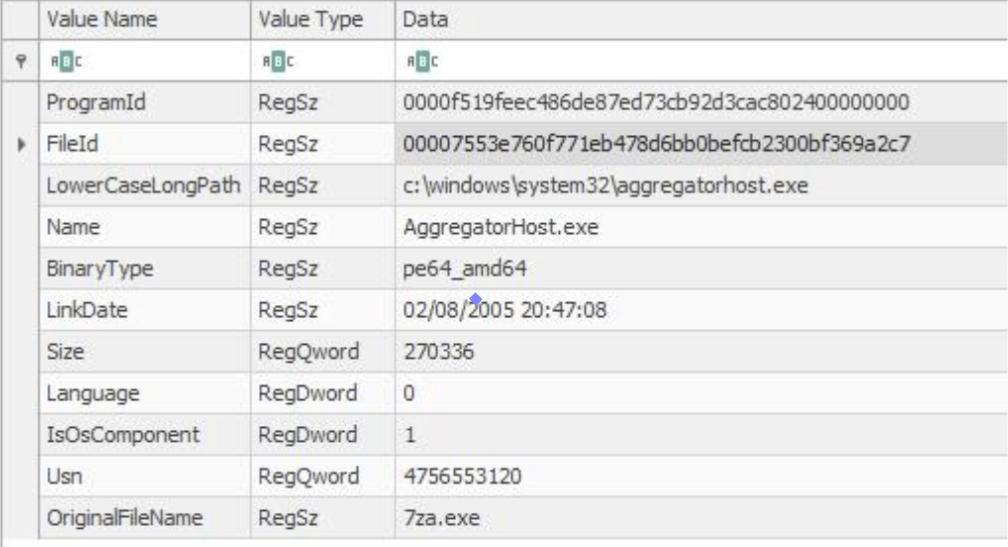
After running Detectraptor across an organisation we observed instances of the OriginalFileName value within the Amcache registry keys not lining up with the expected Name of the executable. The above example is a simple one, but in our case there were a handful of executables that apparently had the OriginalFileName of “Mimikatz.exe”. Err…that’s bad (and exactly what this hunt should help us find!).
Queue further investigation – the cool thing about Velociraptor is we could take the list of executable paths and throw them into BinaryHunter to parse the PE header and check the embedded OriginalFileName.
Interestingly, in the above example (and the Mimikatz one) there was no embedded OriginalFileName in the actual binary (which might be a version issue here, because aggregatorhost has an OriginalFileName on Win11). Something somewhere in the Amcache source it’s retaining an OriginalFileName from somewhere and then putting that into the record.
I had a look at the PE spec, and OriginalFileName is a required value, so my thought is that maybe the developers of Amcache are assuming it’s always going to be set and therefore not initiating the variable properly? This would mean that sometimes it would just record whatever was already in the variable from last time.

You will find if you parse an Amcache.hve with the latest AmcacheParser that there’ll be a lot of empty values though.
What did we find?
- It was a Windows version specific problem as our hunt covered operation systems version such as Windows Server 22, 19, 16, and Windows 10.
- The PE itself didn’t have an OriginalFileName, so Amcache sometimes would populate the value from somewhere else.
Below is an image of a Velociraptor query that I put together that lets you hunt for anomalies.
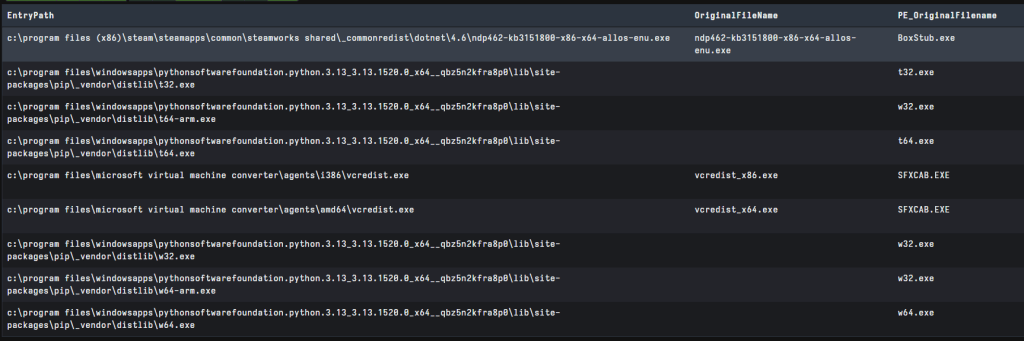
In the above picture you can also see a discrepancy between vcredist.exe. I explored this here; sometimes the API isn’t looking at the surface level OFN of the PE file, but rather digging in a bit deeper.
How can I test?
Velociraptor is the perfect platform for testing this because we can spin up a server on our local machine to test what’s in Amcache. We can then easily take all of the paths from here and, if they exist, parse their PE headers to look for the relevant information.
- Download the latest Velociraptor binary from here and start a local Velociraptor server by running
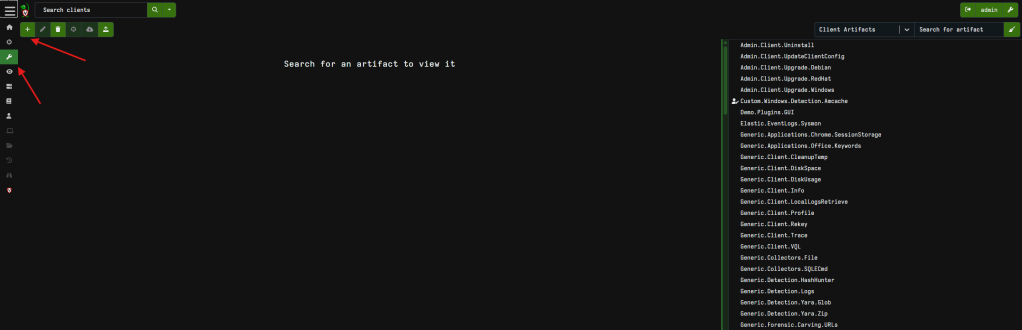
velociraptor guiin an Admin prompt. This makes your machine both the server and the client so it’s super easy for testing. - Next load up the below artifact; select the wrench to view artifacts and click the + to add a new artifact, then copy the below artifact in and hit save.
name: Windows.Detection.Amcache.Mismatchauthor: Phill Mooredescription: | This artifact helps with research into Amcache for mismatches in the original filename stored data.reference: - https://www.ssi.gouv.fr/uploads/2019/01/anssi-coriin_2019-analysis_amcache.pdfparameters: - name: AMCacheGlob default: "%SYSTEMROOT%/appcompat/Programs/Amcache.hve" description: AMCache hive path - name: KeyPathGlob default: /Root/{Inventory, File}*/** type: hidden description: Registry key path glob - name: SHA1Regex default: . description: Regex of SHA1s to filter type: regex - name: PathRegex description: Regex of recorded path. type: regex - name: NameRegex description: Regex of entry / binary name type: regexsources: - query: | select *, hash(path=expand(path=EntryPath),accessor="auto").SHA1 as FileSHA1, parse_pe(file=expand(path=EntryPath), accessor="auto") as PE, authenticode(filename=expand(path=EntryPath)) as Authenticode from Artifact.Windows.Detection.Amcache(AMCacheGlob=AMCacheGlob, KeyPathGlob=KeyPathGlob, SHA1Regex=SHA1Regex, PathRegex=PathRegex, NameRegex=NameRegex) WHERE EntryType = 'InventoryApplicationFile' notebook: - type: vql_suggestion name: Hunting for mismatches template: | SELECT EntryPath, OriginalFileName, if(condition=get(member="PE.VersionInformation.OriginalFilename"), then=PE.VersionInformation.OriginalFilename, else=if(condition=get(member="PE.VersionInformation.OriginalFileName"), then=PE.VersionInformation.OriginalFileName)) AS PE_OriginalFileName, SHA1, FileSHA1 FROM source() WHERE FileSHA1 and OriginalFileName and NOT PE_OriginalFileName
3. Next we want to start a new hunt by going to the Hunt Manager and clicking + then following the bouncing ball
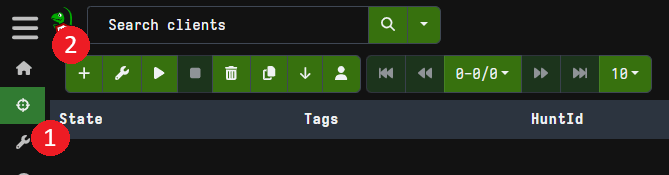
This will then process Amcache and then go look for all the PE’s referenced and parse their embedded information. To clean up our findings a bit, I’ve created some “Suggested” VQL called “Hunting for mismatches”.
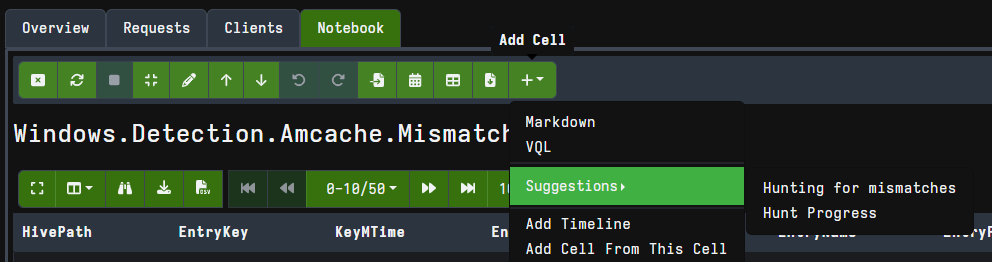
This will present the File path, OriginalFileName and SHA1 that is stored in Amcache, and allow you to easily compare it with the data found in the real file (OriginalFileaName and SHA1 – also a great way to show the 31MB size limit of Amcache!). We are then filtering for instances where the OriginalFileName in Amcache doesn’t match that in the real executable(they should right? sometimes they don’t in legitimate cases though) and the PE currently exists on disk.
Walking through the logic below, we set up our table to show the Amcache data (OriginalFileName) and then get the PE OriginalFileName value (but have to account for case sensitivity), and hashes. We then filter for instances where a FileSHA1 exists (because then the PE is still on disk) where there’s no PE OFN parsed by Velociraptor. We probably dont need that first comparison
SELECT EntryPath, OriginalFileName, if(condition=get(member="PE.VersionInformation.OriginalFilename"), then=PE.VersionInformation.OriginalFilename, else=if(condition=get(member="PE.VersionInformation.OriginalFileName"), then=PE.VersionInformation.OriginalFileName)) AS PE_OriginalFileName, SHA1, FileSHA1FROM source()WHERE FileSHA1 and OriginalFileName and NOT PE_OriginalFileName
On my personal machine I can find a few instances where the OFN isn’t present, but Amcache still records a value:

Or you could play around and look for times where there’s a difference – this will happen a lot, but when threat hunting you might just find something unusual. Moral of the story is: double check your work. When we dug in a bit deeper we could at least say “we don’t see there’s an actual compromise here” but….Windows doesn’t just randomly come up with the word Mimikatz either…
Have a look and let me know if you find anything interesting!
 ThinkDFIR